
Disclaimer: This blog is for general informational and inspirational purposes only, based on publicly available information and personal insights. Images—whether of models, screenshots, or products—are for illustrative purposes only and do not depict actual subjects, scenarios, or views described. We do not intend to offend or conflict with any societal, cultural, religious, or political values.
Learn the ways of Image Masking: Adobe Photoshop has become a true treat in the design realm. Nothing seems impossible in the designing world with its ever-so-rich and innovative features. There is a mammoth of operations used in image processing, and one of the widespread image processing techniques is Image Masking. Image Masking can easily be used for the following purposes:
- Image Extract
- Image Eliminate
- Image Detach
All these processes can easily be applied to all kinds of images. You can easily detach, eliminate or extract the required portion from the complete picture.
Image Masking is a demanding task. Practicing it can consume a lot of effort and labor, but you must be patient enough to learn this art. Image Masking can be easily practiced with Photoshop, which is mainly used for product catalogs. You must have seen e-commerce fancy product listings, and all those tasks are also followed up with the help of these potential techniques.
Considering the various needs of all kinds of customers, Photoshop brings you various Image Masking tools. Some of the frequently used tools are:
- Magnetic Lasso
- Quick Mask
- Magic Wand
- Pen Tool
Like the tools mentioned above, there are plenty of others of the same kind. Every new version of Photoshop is fashioned with some new mechanism for Image processing. Photoshop tools are pretty simple in usage. Every task has been assigned a different tool for rescue. You will always find expert image processing solutions using these simple image masking tools.
Mask Layers seem to be a better idea than other techniques of masking. I call it the best technique because it will leave the slightest possibility of distortion, and the outcome will be tidier. In addition, this gives a more professional look to the image, and objects outshine, creating a super sharp image on any background.
Alright, now let’s draw our attention to Image Masking tools and study their primary usage:
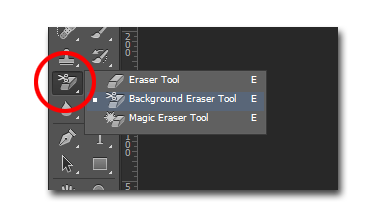
Background Eraser Tool- Learn the ways of Image Masking
The background Eraser tool is best suited for images that are blunt-edged. These images are complex to be masked using any other image masking tool. For instance, if you are doing hair masking, you cannot process the task with any instrument other than Background Eraser tools.
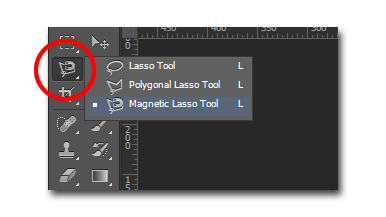
Magnetic Lasso
This tool actually works like a magnet as it sticks to the borders of the targeted image, making a transparent boundary. As you drag your cursor in the shape of the object, it will keep fixing and gripping points on it. This tool is considered to be best for high-contrast images and also it is the most spontaneous tool among all others for image masking.
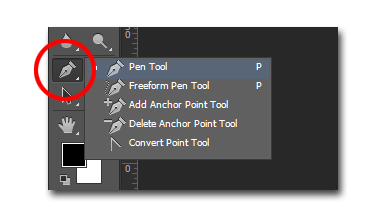
Clipping Path
If you wish to cut the image from its background, the clipping path tool could also be an adept substitute. This tool is known to provide high-quality outputs. The usability of this tool is quite simple and no matter what kind of object you are targeting, this tool will bring you a high-quality outcome.
Therefore, these are some of the techniques that are used for Image Masking.
