Disclaimer: This blog is for general informational and inspirational purposes only, based on publicly available information and personal insights. Images—whether of models, screenshots, or products—are for illustrative purposes only and do not depict actual subjects, scenarios, or views described. We do not intend to offend or conflict with any societal, cultural, religious, or political values.
Imagine it’s late December, your studio is buzzing, and you’re in a race to wrap up some New Year photography ideas, fine-tune those Christmas edits, and toss together a few spooky shots for leftover Halloween pics. Your laptop is working overtime, your client is on your case, and you can’t help but wonder if there’s a quicker, calmer, and easier way to get all this done.
That’s where tools like Nano Banana suddenly enter the conversation. It claims to offer speed, simplicity, and automation, almost like a shiny new player shaking things up in the photo-editing scene. But can it really take over the big dog we’ve all depended on for years — Adobe Photoshop? Or is it just a handy tool for some specific tasks?
In this blog, we’re taking a closer look at whether Nano Banana is actually a big deal or just one of those cool extras to add to your creative toolbox. Plus, we’ll see how Cut Out Image plays a role in the world of professional editing.
What is Nano Banana?
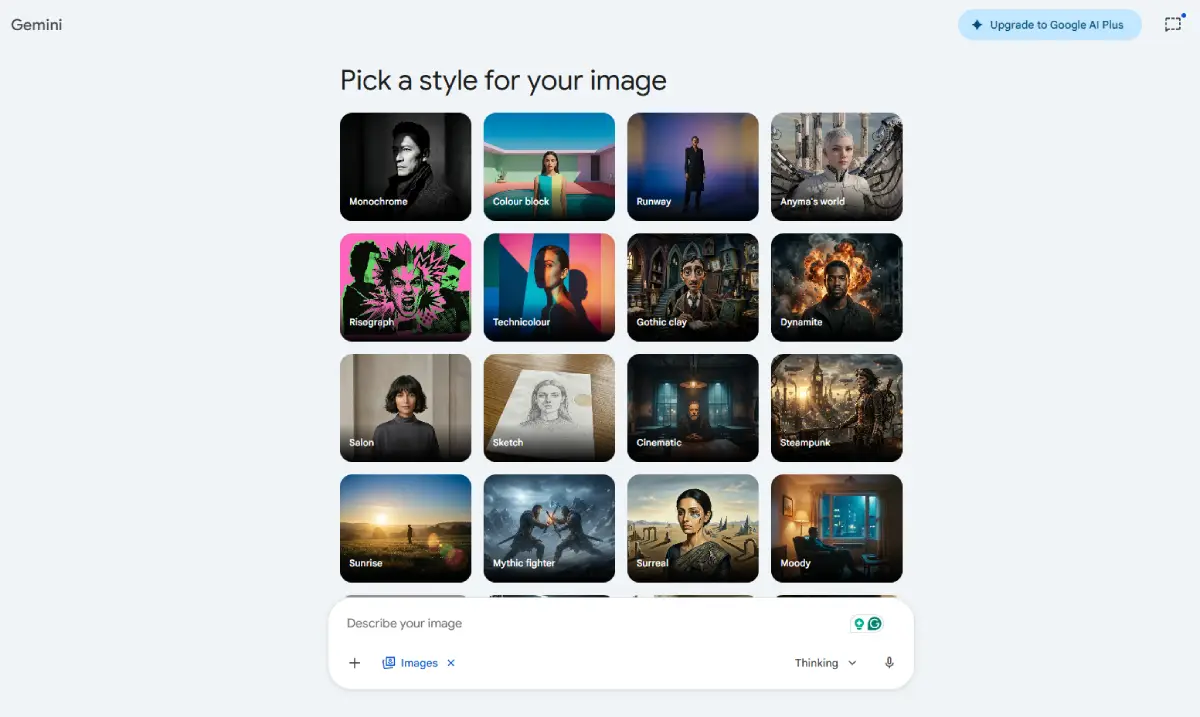 This image is used solely for illustrative purposes. We do not intend to offend or conflict with any societal, cultural, religious, or political values. Image Source: Google AI Studio
Consider Nano Banana as a fast, efficient digital teammate that streamlines your image workflow while you focus on creativity. If Photoshop is a corporate HQ, Nano Banana is a nimble task force that accelerates tasks and reduces repetitive work.
Nano Banana is an easy image editing tool that lets you enhance your photos quickly and effortlessly. It’s ideal for busy professionals like florists, furniture sellers, and photographers, especially during the holiday rush. Create stunning visuals in no time!
Key Features:
- Smart Automation Engine: Nano Banana’s Smart Automation Engine is all about using clever machine learning to make your photos look better. Instead of just slapping on filters, it zeros in on the critical details that really make a difference.
- One-Click Background Removal: Easily remove backgrounds to highlight products. This is a game-changer for furniture businesses, bike brands, and product photographers looking to streamline their image editing.
- Batch Processing Power: Nano Banana is fantastic for studio managers, online store owners, and brands who need to handle a bunch of images all at once, especially when there’s a tight deadline to meet.
- Innovative Enhancements: This tool automatically tweaks brightness, contrast, color balance, and sharpness, making it perfect for quickly sprucing up marketing and social media stuff.
- Simple Interface: Nano Banana is super easy to use, making it perfect for those who aren’t tech whizzes. It skips the complicated menus you find in Photoshop so that anyone can jump right in!
You might wonder: “Why doesn’t everyone switch to Nano Banana?” Its strengths have clear boundaries, and understanding these is crucial to determining if it’s right for you.
What is Adobe Photoshop?
 This image is used solely for illustrative purposes. We do not intend to offend or conflict with any societal, cultural, religious, or political values. Image Source: Unsplash
Nano Banana is like a quick, agile team that gets stuff done fast, while Adobe Photoshop is where all the creative magic happens. It’s one of the coolest tools for editing images and the go-to standard that everyone else tries to match.
Photoshop is where raw creativity meets technical precision. It’s the software you use to engineer an image, transforming a simple photograph into high-end visuals, magazine covers, or cinematic artwork.
For photographers, studio managers, fashion brands, and e-commerce teams wanting to grab some top-notch images, Photoshop is the tool to use. It’s really powerful, and you can customize it a lot, but it can be a bit tricky too.
Key Features:
- Industry Importance: Photoshop is super essential for anyone working in fashion, advertising, and other creative fields. It works really well with other Adobe tools like Lightroom and Illustrator, making everything easier to manage.
- Layer Control: Photoshop lets you mess around with layers, masks, and adjustment options, giving photographers and retouchers the ability to get really detailed with their edits.
- Advanced Retouching: It’s great for tackling tricky skin touch-ups, detailed edits, and playing around with colors, which makes it a must-have for high-quality visuals in fashion and online shopping.
- Learning Curve: Photoshop is super cool for being creative, but it can be a bit much for newbies. It takes a little time and practice to really get the hang of it.
- Customization: Photoshop is super flexible when it comes to using third-party tools and automation scripts. It’s perfect for jazzing up creative projects and leveling up your skills.
In essence, Photoshop isn’t just an editor; it’s a creative operating system. It’s built for professionals who need flexibility, depth, and control rather than speed and simplicity alone.
So the big strategic question emerges: Do you need a corporate headquarters… or just a high-speed task force? That’s where the comparison gets really compelling.
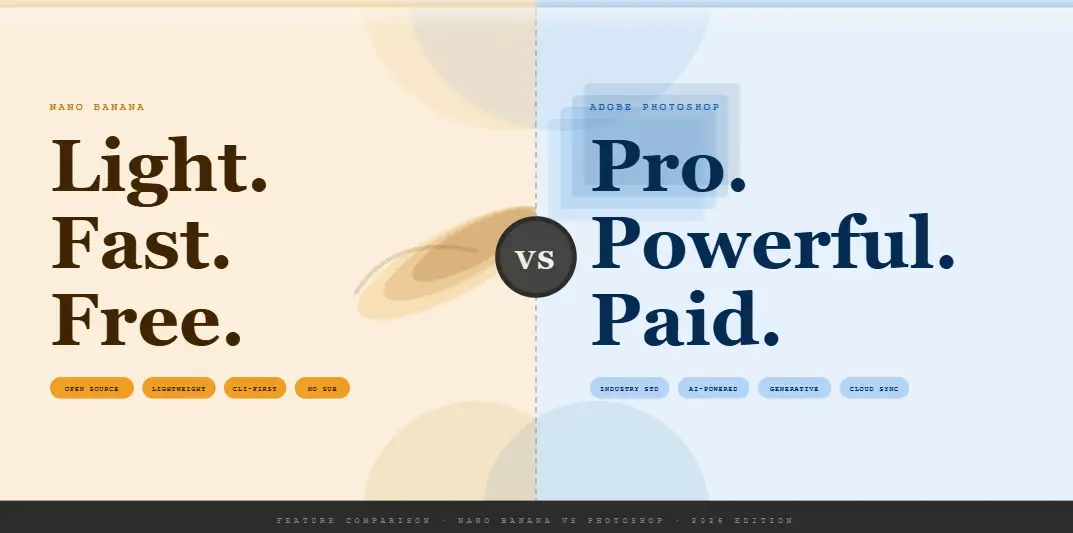
Feature Comparison — Nano Banana vs Photoshop
 This image is used solely for illustrative purposes. We do not intend to offend or conflict with any societal, cultural, religious, or political values. Image Source: claude.ai
Let’s check out Nano Banana, a small but super effective team, and Photoshop, a go-to software brand. We’ll dive into how both of them lend a hand to photographers and online stores that need quick and easy ways to jazz up Christmas images and make their products shine.
| Feature | Nano Banana | Photoshop |
| Ease of Use | It’s super easy to use | This tool has a learning curve, so you’ll need some training to get the hang of it. |
| Editing Precision | You can automate stuff like removing backgrounds, cropping, and enhancing images. | It offers super-precise control for detailed editing and montage work. |
| Automation & Speed | Saves tons of time | You can also automate tasks with scripts, though you’ll need to set those up first. |
| Integration & Ecosystem | It works on its own but doesn’t have many integrations. | It integrates seamlessly with the full Adobe Creative Cloud, |
| Flexibility & Customization | You’re also stuck with the set workflows they provide. | You can customize your workflows and plugins however you like. |
| Output & Quality | It’s perfect for online catalogs, social media posts, and websites. | It’s the go-to choice for top-notch quality, especially for print, magazines, and ads. |
Quick Takeaway: Nano Banana = speed and efficiency; Photoshop = control and precision.
Nano Banana is super quick and easy to use, which makes it perfect for online stores and creatives handling big projects. On the other hand, Photoshop is the go-to for anyone wanting complete control and top-notch designs.
Pricing and Accessibility — Who Can Actually Get Started
When deciding between Nano Banana and Photoshop, the price and how easy they are to access can really influence your choice. Let’s look at it in simple terms, like weighing the benefits for your creative projects.
Nano Banana: Affordable and Frictionless
Nano Banana is like your go-to buddy for creators and business owners who want to get stuff done fast without skimping on quality. Let’s check out who gets the most out of it:
- Low upfront costs — You won’t have to shell out a bunch of cash for software licenses upfront.
- Access from the cloud — since it’s all in the cloud, you can get your work done from pretty much anywhere and on any device—no fancy hardware needed!
- Trial options — many users can try the platform before deciding, which is great for teams looking to see if AI-assisted editing fits their needs.
Imagine a florist prepping for a New Year Photography Ideas campaign. Nano Banana lets you clean up dozens of flower arrangement photos in minutes without investing in expensive hardware or hiring specialized retouchers.
Adobe Photoshop: Premium, Professional Investment
Photoshop can be pretty pricey upfront since you usually have to pay through Adobe’s Creative Cloud subscription.
- Monthly or annual fees — you’re gonna be paying a monthly or yearly fee, so think of it more like an investment instead of just another tool.
- Hardware requirements — you’ll need a decent computer to handle high-resolution images, tricky edits, and all those layers.
- Professional commitment — it encourages you to train and build your skills. If you don’t have much experience, you might not get the most out of what the platform can do.
For an online furniture business or magazine photographer, Photoshop offers unrivaled professional quality — but it’s a longer-term investment in both money and time.
Accessibility Summary
- Nano Banana: Nano Banana is super easy to get into, doesn’t need much training, and is cloud-based—ideal for startups, small studios, or anyone doing a lot of editing quickly.
- Photoshop: Photoshop takes a bit of time to get the hang of and needs a decent computer to run well. It’s really designed for pros, so it works great for agencies, fashion photographers, and businesses that want top-notch visuals.
It comes down to this: Are you looking for something quick and budget-friendly, or do you want full-on creative power with all the details?
Pros and Cons Summary — Nano Banana vs Photoshop
 This image is used solely for illustrative purposes. We do not intend to offend or conflict with any societal, cultural, religious, or political values. Image Source: Google AI Studio
Here’s a straightforward rundown of the main pros and cons of each tool, perfect for your business or creative projects. This summary will make it easier to figure out which tools are best for what you need.
| Pros | Cons | |
| Nano Banana |
|
|
| Adobe Photoshop |
|
|
For speed and cost-efficiency in high-volume editing, Nano Banana is a practical choice. However, for precision and professional-quality output, Photoshop is the gold standard.
Who Can Benefit from Nano Banana?
Nano Banana is like your go-to buddy for creators and business owners who want to get stuff done fast without skimping on quality. Let’s check out who gets the most out of it:
E-commerce business owners: Running an online shop, whether for furniture, bikes, or clothes, involves managing many images that require editing. It can take up a lot of your time. But with Nano Banana, you can totally make this whole process way easier and quicker!
- Easily remove backgrounds for clean product listings.
- Keep colors and lighting looking consistent throughout your catalog.
- Effortlessly prepare images for those seasonal campaigns like Christmas or New Year promotions.
Florists & Event Photographers: For flower businesses or studios handling seasonal campaigns, speed and aesthetics matter. Nano Banana can:
- Enhance floral arrangements and colors automatically.
- Deliver polished images ready for social media or websites.
- Free up time to focus on creative work rather than manual editing
Small Studios & Freelancers: Independent photographers and small studios working with a variety of clients can really benefit from:
- Reducing editing bottlenecks
- Outsourcing repetitive tasks to AI while maintaining consistency
- Quickly delivering proofs or marketing-ready visuals without long turnaround times.
Businesses with Limited Resources: If you don’t have a crew of retouchers, fancy tech, or a big team, Nano Banana has got you covered.
- You can edit from any device thanks to cloud access,
- Save money by avoiding huge upfront costs,
- Find easy solutions for your daily tasks without needing to spend ages learning new stuff.
Social Media Managers & Marketing Teams: If your team is swamped with content for Instagram, Facebook, or online shops, Nano Banana’s got you covered.
- Automate stuff like removing backgrounds, adjusting colors, and resizing images.
- Keep your brand looking consistent across all your campaigns.
- Let your team spend more time on the fun, creative stuff instead of getting bogged down with annoying edits.
Nano Banana is a valuable asset for small businesses, high-volume e-commerce sellers, and creative teams needing speed, efficiency, and consistent results.
Who Should Stick with Photoshop?
Even though Nano Banana is super fast and automated, Photoshop is still the go-to for anyone wanting complete creative control and top-notch results. If you really care about your work, Photoshop is definitely the best option.
Professional Photographers & Retouchers: When it comes to high-end stuff like fashion, editorial shoots, cars, or fancy furniture, every little detail matters. Photoshop lets you:
- Advanced retouching and color grading
- Detailed compositing beyond AI’s capability
- Precision adjustments for complex projects
Advertising & Marketing Agencies: Agencies that create amazing campaigns often rely on Photoshop for several simple reasons:
- It enables lots of layering and effects,
- simplifies teamwork with tools like Illustrator, After Effects, and InDesign
- keeps branding and visual stories sharp.
Large Studios & Enterprise Teams: Big studios prefer Photoshop for its great features, including:
- Custom scripts and plugins that enhance workflows
- Compatibility with asset management systems
- Support for high-resolution and print-ready files
Creatives Who Demand Full Control: Photoshop is irreplaceable for experimenting with effects, creating unique compositions, and refining visuals. AI tools like Nano Banana lack the intuition and artistic finesse of a human editor.
Specialized Industry Professionals: Some industries really focus on the little things because even a small mistake can lead to big problems. To steer clear of those issues, they put in a lot of effort to keep their processes running smoothly.
- Product photographers seek the best angles for catalogs.
- Magazine photographers create striking images for covers and articles
- Automotive photographers capture the perfect reflections and textures of cars.
Nano Banana is a productivity booster for many businesses, but Photoshop is the strategic tool for professionals who need absolute control, superior quality, and creative flexibility.
Conclusion — Choosing Between Nano Banana and Photoshop
Choosing between Nano Banana and Adobe Photoshop really comes down to how you like to work and what you want to achieve—speed vs. control.
Nano Banana is great for businesses that need quick and reliable results, such as florists or e-commerce teams handling seasonal changes. It’s simple, AI-powered, and great for high-volume tasks.
Photoshop is for professionals who require complete creative control, precision, and professional-grade quality — from magazine photographers to large studios and agencies.
Many businesses find a hybrid approach effective- using Nano Banana for repetitive tasks and quick edits while reserving Photoshop for complex projects. This way, they save time and costs while still achieving outstanding results.
At Cut Out Image, we provide professional editing services to make your workflow easier. Whether you use AI tools or traditional Photoshop, we can help you. Try us for free and discover how we can improve your visuals.
👉 Get a Free Trial | Explore Our Services
FAQ — Nano Banana vs Photoshop
- Can Nano Banana fully replace Photoshop?
Not entirely — it’s super fast, but if you want to get precise and do serious work, you really need Photoshop.
- Who should use Nano Banana?
E-commerce owners, florists, small studios, and marketers are managing bulk edits.
- Who should stick with Photoshop?
Professionals, agencies, large studios, and anyone needing pixel-perfect results.
- Is Nano Banana beginner-friendly?
Yes, AI-driven and intuitive, perfect for non-experts.
- How does pricing compare?
Nano Banana is more affordable; Photoshop requires Creative Cloud and capable hardware.
- Can Nano Banana handle bulk images?
Yes — batch processing is one of its core strengths.
- Does Photoshop offer automation?
Yes, through scripts and actions, but setup is required.
- Which tool is better for social media content?
Nano Banana for speed and volume; Photoshop for high-quality, creative visuals.
- Can both tools be combined?
Absolutely — many businesses use Nano Banana for bulk edits and Photoshop for finishing.
- How can Cut Out Image help?
Cut Out Image offers editing services like retouching, masking, and color grading to save you time and maintain consistency. Try it for free!!