You open your laptop, excited to buy that beautiful sofa you’ve been eyeing. You click on the product page… and your heart sinks. Blurry photos, confusing descriptions, and a painfully slow load time. Within seconds, you close the tab.
This is a common story for e-commerce shoppers—and a key reason for abandoned carts.
Many e-commerce owners think good products and basic photos are enough. In 2026, that myth still costs businesses thousands in lost sales monthly. In reality, every pixel matters: optimized product images and structured pages turn browsers into loyal customers. Poorly optimized pages kill sales; well-crafted ones build trust and boost conversions.
At Cut Out Image, we help furniture brands, florists, studio managers, and online retailers each week. We’ve seen a strong product page checklist improve visuals and sales.
In this blog, we will cover 15 practical tips for a product page checklist that drive results. Let’s make your product pages boost your sales.
What Is a Product Page Checklist?
A product page checklist might sound like just another marketing buzzword—but in reality, it’s your roadmap to clarity, consistency, and conversions.
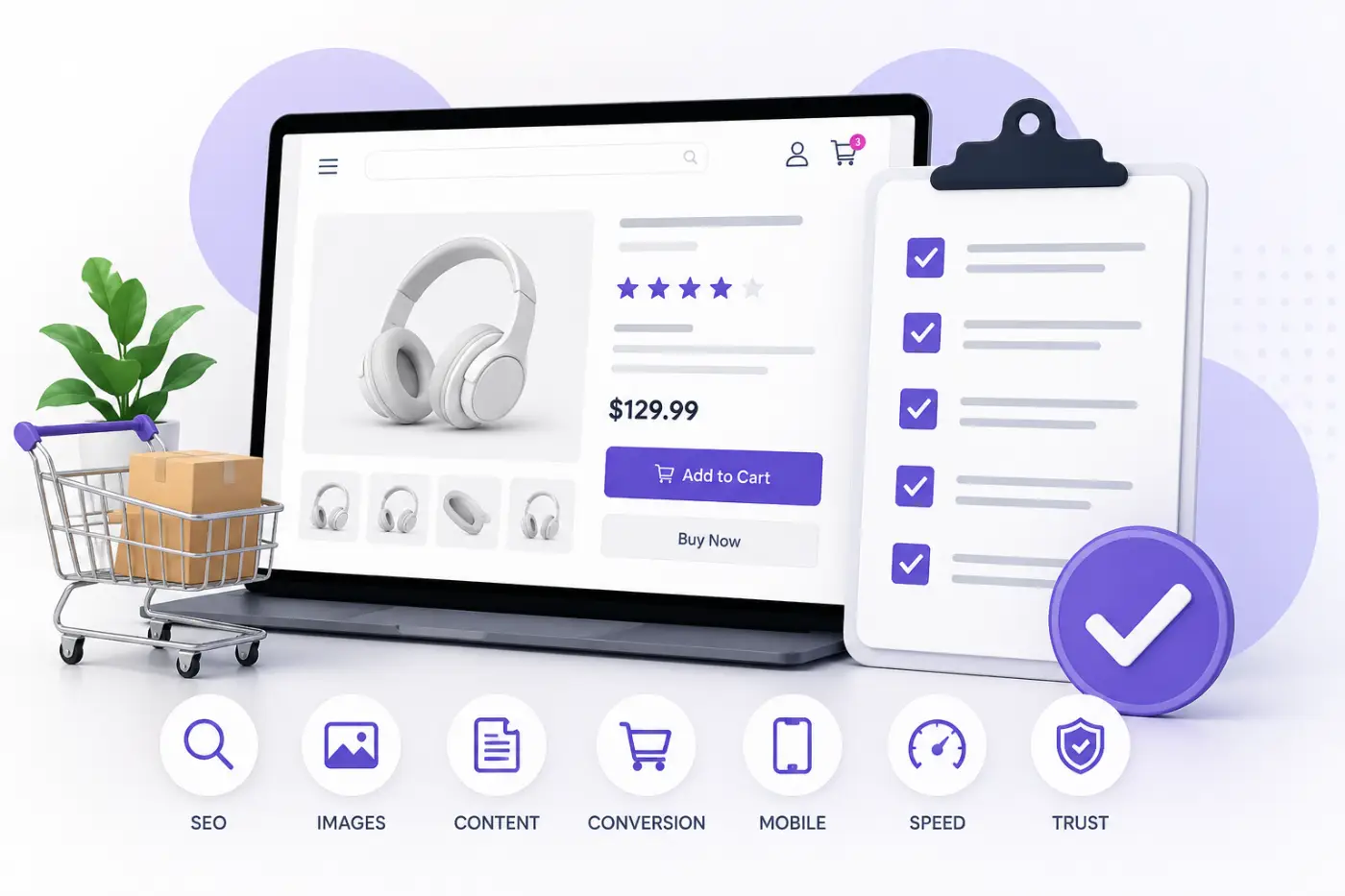
A product page checklist is your blueprint for turning a simple product page into a high-converting selling machine. It’s a step-by-step guide covering every element—from images and descriptions to SEO and calls to action—optimized for both people and search engines.
Think of it like preparing your home for guests: you’d tidy up, set the lighting, and ensure a welcoming atmosphere. In online retail, your product page is that of “home.” A checklist ensures you don’t overlook key elements, like product image optimization, which is critical in e-commerce.
Many e-commerce owners think a good product page just needs a few photos and a price. That’s like baking a cake with only flour and sugar—something’s always missing. A checklist helps you identify gaps in product information.
- Standardize image quality across your catalog.
- Ensure descriptions are compelling, accurate, and complete.
- Keep SEO elements aligned for visibility.
- Maintain a smooth, intuitive shopper experience.
When it comes to driving sales, we’ve noticed that businesses sometimes miss opportunities because of incorrect colors, poor cropping, or overlooked details. Our product page checklist can help you make better images, share clear information, create a smooth shopping experience, and boost your SEO. Download our checklist today to start improving your product pages and sales.
Product Page Checklist Elements for E-commerce Success
This is the heart of the guide — your complete product page checklist for 2026.
Most e-commerce owners believe uploading a few photos and a basic description is enough. In reality, truly high-converting product pages are built with care, strategy, and attention to detail. Here are the 15 essential elements that make the biggest difference:
01. High-Quality Product Images
This is by far the most important element on any e-commerce product page. In fact, poor images are one of the fastest ways to lose customer trust.
Here’s what “high-quality” actually means in practice:
- Hero Image: Your main product photo is the hero that should be clear, attractive, well-lit, and shown from the most flattering angle.
- Angles: Show your products well by offering 6-10 distinct views. Include shots from the front, back, sides, top, and bottom to give a full look. This helps shoppers see everything clearly, especially furniture, clothes, jewelry, and lifestyle items.
- Background: Keep your product photos clean and consistent by using a pure white or very light gray background. Anything else – a busy or mismatched background – can actually hurt how people see the value and professionalism of your high-end items.
- Color: Colors must look exactly as they do in real life. It’s a major factor in why things come back. Proper product image optimization ensures this accuracy, reducing returns by making sure what customers see online matches what arrives at their door.
- Lifestyle Shots: Show the product in real-life situations. A beautiful sofa looks far more desirable in a styled living room than floating alone on a white background. These shots help customers emotionally connect with the product.
- Zoomable Detail Images: Enable customers to examine textures, stitching, materials, and fine details through zoom functionality. Enhanced visual clarity increases consumer confidence, particularly for premium-priced products.
- Scale and Size References: Including familiar objects like a hand, coin, or ruler in your photos helps buyers see the true size of your product.
High-quality images make your product page more convincing. Editing and professional post-production can also improve how your product looks online.
02. Accurate and Engaging Product Descriptions
Think of product descriptions as your behind-the-scenes sales expert. When they are confusing or packed with technical terms, potential customers may walk away without making a purchase.
Here are some tips for writing product descriptions that work:
- Clear Language: Employ straightforward language that is accessible to a broad audience. Provide a clear explanation of the product and its benefits.
- Features vs. Benefits: List each feature and explain how it helps your customer in real life. Explain how your product can improve their day. For example, “Durable oak keeps your table ready for years of dinners.”
- Measurements & Materials: Give the exact size (height, width, depth), weight, and materials. Clear measurements help buyers decide if the product fits their needs and feel sure about buying it.
- Readable Format: Keep descriptions short and direct. Use brief paragraphs to hold shoppers’ interest and avoid overload.
- Lifestyle Connection: Tell a short story or example that helps shoppers picture your product in their everyday life. For example, imagine a rug that makes a living room feel warm and inviting.
Use clear descriptions and sharp photos to help shoppers feel confident in every purchase.
03. Product Specifications & Details
Provide customers with precise product information to help them make informed decisions. Withhold details, and they hesitate or abandon carts.
Make specifications work harder by:
- Dimensions & Weight: State dimensions and weight for all physical products. Highlight these details for furniture and appliances.
- Color & Finish Options: Show each color and finish with clear images and brief, useful descriptions. Highlight texture, sheen, and unique features to guide confident choices. Visually arrange options for easy browsing.
- Material & Care Instructions: List the materials and care instructions for apparel, jewelry, and home goods.
- Technical Specifications: Dive into the essential technical specifications and performance metrics that set electronics, kitchen appliances, and fitness equipment apart.
- SKU & Product Codes: Useful for inventory management and customer service inquiries.
When specifications are clear, shoppers feel confident, and returns decrease. It also signals professionalism and attention to detail.
04. Customer Reviews & Ratings
People’s purchasing decisions are heavily influenced by social proof. Shoppers want to see real stories from others before making a decision. To make the most of reviews, keep these points in mind:
- Verified Reviews: Show feedback from real customers and add badges that prove authenticity to build trust.
- Star Ratings: Give a quick, at-a-glance indication of product satisfaction.
- Images & Videos: People trust products more when they see real customers using them and are encouraged to share their own experiences.
- Balanced Feedback: Give both good and honest reviews. Customers will trust you more if you are honest.
05. Price & Promotions
Clear pricing builds trust. If visitors cannot see the cost, they may leave your site. Show your prices, highlight special offers, and invite customers to buy or contact you for more information.
- Mention Price Clearly: Ensure the price is easy to find, ideally right next to the product’s title or main image.
- Discounts & Sales: Show off real savings with bold “was vs now” prices to create urgency and boost purchases.
- Time-Limited Offers: Generate urgency—display countdowns for special promotions to stimulate action.
- Bundles & Value Offers: Combine related products or recommend bundled offers to guarantee customers a better deal, maximize savings, and drive a higher average order value.
- Uniform Pricing: Maintain consistent pricing across all channels. Display identical prices in your ads, emails, website, and every platform customers use. Project clarity and trust by offering a single, transparent price.
Proper pricing presentation reassures shoppers and nudges them toward completing the purchase.
06. Clear Call-to-Action (CTA)
An effective call to action (CTA) provides clear guidance for shoppers regarding their next step. Engagement increases when the CTA is both visible and easy to understand.
- Use Action-Oriented Language: Action-oriented language, such as “Add to Cart” or “Buy Now,” is more effective than vague options like “Click Here.”
- Placement and Visibility: Put your CTA close to the product image or at the top so people can find it easily.
- Sticky Button: A sticky button works well on mobile because it stays visible as users scroll, making it easy for them to take action whenever they want.
- Button Color: Select a vivid, contrasting color that makes your button stand out.
- Multiple CTAs: Since not all users are prepared to make an immediate purchase, providing alternatives such as “Add to Wishlist” or “Share” offers additional engagement opportunities.
A good call to action can turn visitors into customers and help boost sales.
07. Mobile-Friendly Layout
Given that more than 70% of shoppers use mobile devices, implementing a responsive design is essential.
- Image Scaling: Scale product images to look sharp on any screen and avoid distortion.
- Readable Text: Avoid tiny fonts; break up text into mobile-friendly chunks.
- Button Size: CTAs must be easy to tap with a finger.
- Simplified Layout: Remove unnecessary elements and spotlight the most essential information.
- Fast Loading: Achieve faster mobile page loads by optimizing images and minimizing scripts—your users will thank you!
Effective mobile optimization directly impacts conversion rates, whereas slow or cluttered pages tend to increase user abandonment.
08. Product Video Content
Video makes product presentations more engaging by helping people see how digital images relate to real-life experiences.
- Product Display: Show how the product works, seamlessly fitting into daily life.
- Highlight Features: Emphasize the main features and unique benefits that videos reveal.
- Short and Engaging Videos: To keep viewers’ attention, videos should be between 60 and 90 seconds long.
- Show Multiple Angles: Rotate or pan to provide a 360-degree view.
- Encourage Social Sharing: Post your videos on social media to reach more people and use them as marketing tools.
Videos can help increase engagement and make buyers feel more confident, which is especially helpful for expensive or complicated products.
09. Breadcrumb Navigation & Categories
Good navigation is key; it helps people find what they’re looking for and keeps them browsing.
- Breadcrumbs: These little trails, like Home > Furniture > Sofas > Sectional, show users where they are, making it easy to backtrack.
- Organized Pages: Clearly defined product categories help users quickly find and look at similar items.
- Internal Linking: Connect related products within the website to facilitate customer discovery of relevant items and encourage prolonged browsing.
- Site Hierarchy: Use a simple, consistent structure to keep navigation clear and free of frustration.
A well-structured website increases user retention, enhances the shopping experience, and supports SEO performance.
10. Related Products & Upsells
Upselling and cross-selling are subtle but effective revenue boosters:
- Suggest Complementary Items: Show shoppers how to complete their space by adding a ‘Complete the Look’ section. Pairing a chic coffee table with a comfortable sofa, for instance, can spark ideas.
- Personalized Suggestions: Recommend based on browsing or purchase history to boost satisfaction.
- Show Real Value: Highlight convenience and cost savings to show bundle value.
- Recommendations: Suggest related products to guide your customers in a helpful, non—pushy way. Make it feel like friendly advice rather than a hard sell.
- Visual Consistency: Make sure the images of the suggested products align stylistically with your primary product photos. This keeps everything looking unified and true to your brand.
Increase average order value and enhance the shopping experience with well-executed upsells.
11. Trust Badges & Payment Options
Put customers’ minds at ease about their purchases and your store’s reputation:
- SSL Certificates & Secure Checkout Icons: Display these prominently near the payment area.
- Accepted Payment Methods: Show logos for Visa, MasterCard, PayPal, and others.
- Return Policy & Guarantees: Clearly present your return policy and guarantees to ensure they are easy to understand.
- Warranty & Certification Logos: Display warranty and certification logos to highlight product quality and brand endorsements.
- Customer Service Access: Place clear, easy-to-find links to customer support to build trust.
Trust signals increase customer confidence and encourage purchase completion.
12. SEO-Friendly Titles & Meta Descriptions
Optimizing product pages for search engines increases their visibility to potential buyers.
- Main Keywords: Incorporate primary keywords and product names naturally; this is key for readability.
- Clear Meta Descriptions: Craft concise, engaging meta descriptions to boost click-through rates when people see your products in search results.
- Unique Titles: Give each product a unique title; don’t duplicate titles across similar items.
- Simple URLs: Short, easy-to-read URLs are understandable to both users and search engines. So, keep URLs clear.
- Limit keywords: Avoid overusing them to prevent over-optimization. Use keywords only when they fit naturally.
13. Structured Data & Rich Snippets
Structured data helps Google display your product details correctly in search results. Therefore, customers can see them during their search.
- Mark Up Key Attributes: Include product name, price, availability, and reviews.
- Enable Rich Snippets: Helps Google display star ratings, price info, and stock status directly in search results.
- Increase CTR: Rich snippets make your listings pop in search results, which, in turn, drive more clicks.
- Stay Updated: Structured data standards evolve; keep your schema up to date.
- Support Voice Search: Structured data helps your products appear more prominently when people use voice search on AI assistants like Siri or Alexa.
14. Fast Loading Speed
Even perfect pages fail if they load slowly. Customers want things now.
- Compress Images: Reduce file size without compromising quality (Cut Out Image excels at this).
- Lazy Loading: Load images that aren’t needed immediately; load them only when users scroll down the page.
- Minimize Scripts & Plugins: Limit their use. Excessive numbers can bog down your website’s performance.
- Reliable Hosting: A dedicated hosting platform is essential; server speed is crucial.
- Monitor Regularly: Keep tabs on performance with tools like Google PageSpeed Insights.
Fast pages improve UX, SEO, and conversions simultaneously.
15. Consistent Branding & Visual Identity
Your product page should feel unmistakably “you”:
- Colors and Fonts: Apply the same colors and fonts to your website, ads, emails, and social media to create a clean, unified look every time you communicate.
- Image Style: Maintain a uniform photographic style and editing approach throughout all platforms. This ensures a cohesive visual experience.
- Tone of Voice: Speak with the same personality in every message. This builds trust and makes your communication instantly recognizable.
- Visual Storytelling: Share pictures and videos that clearly show your brand’s story.
- Build Recognition: Keep a consistent look and message across all your content to help people recognize and trust your brand.
Free Downloadable Resource
It includes all 15 elements in a clean, printable format with space for your own notes. No email required — just a helpful tool from Cut Out Image to make your life easier.
Common Product Page Mistakes to Avoid
Even experienced e-commerce owners make avoidable mistakes that quietly kill sales every day.
The following are the most frequently encountered product page blunders to steer clear of in 2026:
- Unprofessional Product Images: Blurry, low-resolution, or inconsistent images can instantly sour a customer’s initial perception of your brand. Additionally, employing unsuitable backgrounds or colors can lead to increased returns and unfavorable reviews.
- Use bright, clear photos of your products.
- Keep the same background and photo style for all your images.
Fix this by hiring professional image editors and enforcing a consistent style guide for your photos.
- Sparse or Vague Descriptions: A product description bridges curiosity and confidence. Generic or incomplete details leave buyers guessing about size, material, or usage.
- Short or vague text fails to answer customer questions.
- Missing sizes, materials, or features increases hesitation.
To address this, provide clear, detailed descriptions and high-quality photos. A product photography checklist—a step-by-step guide to capturing all necessary shots and ensuring image quality—helps you cover everything.
- Hidden Cost: When prices are not clear or are hidden, buyers hesitate and may stop trusting the seller. If customers can’t quickly figure out the total price, including shipping and taxes, they might leave their carts.
- Hidden checkout costs frustrate shoppers
- Unclear pricing or discounts confuse buyers
To resolve this issue, present transparent pricing at the initial stage. Incorporate shipping costs, taxes, and all supplementary fees to ensure customers have precise expectations.
- Ignoring Mobile Optimization: Most shoppers use smartphones, so mobile-unfriendly pages lose sales. Pages that look good on the desktop may confuse or slow mobile users.
- The text is too small, or the buttons are hard to tap.
- Images don’t scale or load slowly.
To fix it, review layouts on all devices. Reduce image sizes. Ensure the design works across all screen sizes.
- Missing Trust Signals: Online shoppers look for reassurance before purchasing. If your pages do not display secure checkout badges, clear return policies, or quality guarantees, shoppers may hesitate and leave without making a purchase.
- No SSL or secure payment icons.
- Return, warranty, or certification info is hidden or absent.
To address this issue, prominently display trust badges and make policies easy to find.
- Overcrowded Pages: A cluttered page overwhelms shoppers, making it hard to focus on key selling points. Too many images, CTAs, or product suggestions can reduce clarity and decision-making.
- Excessive visuals or CTAs create confusion.
- Too many upsell suggestions distract from the main product.
To fix this problem, emphasize the main images, make important details easy to see, and use only one main action button on each page. This helps users quickly see what you offer, keeps things simple, builds trust, and lowers confusion.
- Weak Call-to-Action: A great product page still loses sales without a compelling next step. If your CTA is generic or buried, shoppers hesitate—resulting in missed opportunities.
- Buttons like “Click Here” are vague.
- Poor placement reduces visibility and engagement.
To quickly prompt user action, add clear, keyword-specific action buttons—such as “Add to Cart” or “Reserve Yours”—using product-relevant terms like “laptop” or “membership.”
- Poor SEO Implementation: A beautifully designed page means little if no one finds it. Missing keywords, duplicate titles, or unclear URLs reduce visibility in search engines.
- Missing or duplicate product titles and meta descriptions.
- Non-descriptive URLs make pages harder to discover.
To address this issue, follow product page SEO best practices. Try adding structured data and using keywords naturally.
- Ignoring Product Videos: Videos let customers see the product in action, understand its features, and feel confident buying. This makes your page more persuasive.
- A lack of demo or lifestyle videos reduces customer engagement and interest.
- Shoppers can’t visualize actual use.
- Fewer questions answered, less persuasive.
- Missing videos lead to fewer sales.
To address this, incorporate brief videos into your product listings. Even a quick product or lifestyle video can show people how your item looks or works in real life, helping them understand it better and feel more confident about buying.
- Ignoring Customer Reviews: Reviews act as social proof, but failing to include them—or showing fake-looking feedback—reduces credibility. Customers rely on peer experiences to confirm quality and suitability.
- No reviews or only generic text.
- Missing photos or videos from real customers.
To sidestep these pitfalls, insist on verified reviews and showcase material generated by actual users.
- Slow Page Loading: Even the most persuasive page fails if it takes too long to load. Heavy images and unoptimized scripts frustrate visitors and can hurt SEO rankings.
- Large images and unoptimized scripts slow page speed.
- Shoppers abandon slow-loading pages.
Solution: Use professional image post-production to compress files, implement lazy loading, and regularly monitor page speed.
- Inconsistent Branding: If your fonts, writing style, images, or page layout change from page to page, your store can look disorganized and less trustworthy. Keeping your branding consistent helps your store look professional and makes it easier for customers to remember.
- Different image styles or editing quality create a disjointed catalog.
- Inconsistent fonts, colors, or tone confuse brand identity.
Keep your branding consistent by using a clear brand style guide. Make sure all images and content follow the same guidelines on every product page.
The good news? Once you spot these mistakes, they’re easy to fix. The biggest change comes from boosting your visuals with image post-production and using a solid product page checklist. Avoiding these pitfalls doesn’t require a redesign—just focus on what matters to customers.
Why a Product Page Checklist Matters
A good product page checklist makes your store easier to use and guides you to showcase products effectively, encouraging shopper confidence.
Think of two furniture stores that are only online. One has bright pictures, detailed specs, and easy navigation. The other has blurry pictures and vague descriptions. Which would you trust with your purchase? Chances are, the first one wins. A product page checklist isn’t just a formality—it’s a strategic investment in sales.
Your product page is your main salesperson. In 2026, a well-optimized product page will drive more revenue. I’ll show you how a checklist will help your business.
- Boost Your Sales: Use stunning product images and sleek layouts to convert browsers into buyers. One furniture brand increased sofa sales by 37% after switching to professionally edited photos. Many businesses see conversion rates jump 20 to 40 percent with these upgrades. Upgrade your product visuals now—contact us to get started and increase your results.
- Lower Return Rates: If your product photos accurately reflect colors, offer plenty of detail, and show clear angles, shoppers know what to expect. This accuracy reduces the risk of disappointment and can decrease returns by 15–30%.
- Improved SEO Visibility: Google ranks pages higher when they load fast, are easy to use, and have clear content. Good product pages with high-quality images, proper keywords, meta tags, and a well-structured layout help drive more organic traffic.
- Cross-Selling Opportunities: High-quality lifestyle images let customers envision products in daily use. When they see how items complement each other, customers are more likely to buy additional products, increasing average order value.
- Stronger Brand Trust: Consistent imagery shows attention to detail and builds consumer trust. Blurry or inconsistent photos may raise doubts about product quality.
- Faster Decisions: An optimized product page drives purchasing. With clear images, all essential details, and fast-loading pages, customers feel confident and motivated to buy.
- Mobile Performance: Most online shoppers use their phones—often, more than half of your traffic comes from mobile devices. Make sure your product images are clear and easy to see on smaller screens. When pictures are sharp and load quickly, customers can browse without zooming or squinting, which keeps them engaged and more likely to buy.
- Competitive Advantage: Many online stores still use average or inconsistent photos. By following a solid product photography checklist and investing in high-quality image editing, your products will look more professional from the start. This makes your store stand out and gives shoppers confidence in your brand.
- Cost Savings: Launch with impactful images and precise content to reduce the need for later revisions. This lowers ad costs and increases organic sales. Optimizing product pages generates returns, and a checklist ensures each change adds value.
At Cut Out Image, we consistently see brands succeed through methodical page improvements. Outstanding brands follow a checklist and make steady refinements—not luck.
In our recent article on whether AI will replace photo retouchers, we uncovered some surprising insights.
How Professional Image Editing Services Can Help
You know what a high-converting product page needs. But turning good photos into images that sell is another matter. This is where professional e-commerce image editing services can make a powerful, often invisible difference.
Here’s how working with experts can quietly transform your results:
True-to-Life Color Accuracy: Achieving precise color representation is challenging. Professional editors ensure online colors match delivered products, which reduces returns and builds customer trust.
- Corrects lighting issues and color casts that happen during photography.
- Editors maintain consistent product tones across all images and catalogs.
- Accurate visual editing builds shopper trust in your products.
Background Removal & Consistency: Uniform product backgrounds instantly make your store appear more premium and trustworthy. In contrast, inconsistent backgrounds may make even high-quality products appear less appealing.
- Isolates the product from distracting elements or clutter.
- Standardizes backgrounds (pure white, light gray, or brand-specific colors).
- Products appear appealing everywhere—from marketplaces to your website.
Shadow, Reflection & Imperfection Correction: Even minor shadows or reflections can distract and reduce perceived quality. Professionals remove these seamlessly.
- Eliminates unwanted shadows or glare while keeping natural depth.
- Smooths minor imperfections without over-editing.
- Editing highlights your product’s most important features.
High-Resolution Retouching & Detail Enhancement: Experts know exactly how to enhance textures, materials, and fine details so your products look their absolute best without ever appearing artificial or over-edited.
- Sharpens product details while keeping the image natural.
- Detail editing highlights product quality and premium features.
- Edits guarantee crisp images for zoom and close-up views.
Lifestyle & Contextual Edits: Even from simple studio shots, skilled editors can produce beautiful lifestyle images that help customers emotionally connect with your products and visualize them in their own space.
- Show products in real-life settings, such as living rooms, outdoor spaces, or fashion shoots.
- Demonstrate product use and scale clearly without distractions.
- Editing supports marketing and social media by creating engaging content.
Bulk Image Editing for Large Catalogs: Consistency across hundreds or thousands of SKUs is impossible without professional support.
- Maintains visual uniformity across large product catalogs.
- Bulk editing saves significant time for in-house teams.
- Editors maintain brand standards, even during busy seasons.
Optimized Image Size and Performance: Professional teams ensure images look good and load quickly on any device. This not only makes your site more appealing but also helps increase sales and search engine rankings.
- Compresses files without sacrificing image quality.
- Edits boost page speed and mobile experience.
- Reduce bounce rates and keep visuals compelling.
Saving You Hours of Work: Managing product images can quickly become overwhelming. Spending hours fixing lighting, removing dust, or handling bulk edits takes time away from what actually grows your business.
- Manual editing is time-consuming and slows down product launches.
- Batch inconsistencies lead to additional rework and frustration.
Want to know if AI can fully replace professional editing software? Check this detailed breakdown
FAQs About Product Page Optimization
1. What is a product page checklist, and why do I need one?
This checklist helps product pages appear professional, boost conversion rates, and improve search rankings. Use it as a quick reference for images, descriptions, SEO, and trust factors.
2. How do high-quality product images affect sales?
Clear, high-quality photos build customer trust by displaying accurate colors and key details. Poor images cause shoppers to hesitate or return items.
3. Can SEO really help my product pages?
Yes. With optimized titles, meta descriptions, alt text, and structured data, your pages are more likely to be discovered. Even perfect images won’t sell if no one finds them online.
4. How many images should I include per product?
Use 6–10 images that show multiple angles, zoom features, lifestyle views, and scale references. Help shoppers see exactly what they’re buying.
5. What are common product page mistakes?
Some common ones to watch out for are:
- Inconsistent images
- unclear descriptions
- Weak CTAs
- Slow-loading pages
- Poor mobile UX
6. How can professional image editing services help?
They perfect images: adjust color, clean backgrounds, remove shadows, enhance details, and prep in bulk. You get perfect images without stress.
7. Do lifestyle shots really make a difference?
Yes. Showing products in real-life settings helps customers visualize ownership and drives sales.
8. Is mobile optimization really necessary?
Absolutely. With most shopping on phones, slow or hard-to-use pages lose sales fast.
9. How often should I update product pages?
Update your pages when products, prices, or marketing change. Take action now to boost your online success!
10. Where should I start if I want professional help?
Start with a free trial from a service like Cut Out Image. Professional editing and optimized images can quickly lift your product pages.
Conclusion
Product pages that convert well are clear, use high-quality images, and pay close attention to detail. A solid product page checklist helps turn casual browsers into confident buyers by removing doubt and creating a smoother shopping experience. In 2026, the stores that stand out are the ones that consistently pay attention to these important elements.
At Cut Out Image, we believe that investing in strong visuals brings real results for online businesses.
The most effective product pages present a professional appearance and foster customer confidence in purchasing decisions. Begin enhancing your product pages with Cut Out Image today.